Eats365 x Supy: Where Front-of-House Excellence Meets Back-of-House Intelligence
Built for multi-location groups and growing restaurant operators, Eats365 x Supy connects POS sales activity with inventory, recipes, procurement, and reporting. The integration helps teams replace disconnected records with a consistent operational view of what was sold, stocked, and where costs may need attention.
 13 Apr 2026

 Eats365
Contents
We’re excited to announce that Eats365 has officially partnered with Supy, the AI-powered inventory and procurement platform. Supy is a back-of-house management platform that brings inventory, procurement, recipes, and analytics together, while Eats365 records restaurant sales activity at the point of service. When integrated, Supy can fetch revenue data and use sales information to support inventory depletion.
How does the Eats365 x Supy integration connect sales with inventory?
Sales recorded in Eats365 can flow into Supy, where they can be connected with recipes and inventory processes. This gives restaurant teams a more current basis for reviewing stock use, food costs, and purchasing needs.
In many restaurants, front-of-house sales and back-of-house inventory are reviewed separately. This can make it harder to reconcile what was sold with the ingredients used, particularly when teams are exporting data manually or relying on spreadsheets after a shift.
With the Eats365 x Supy connection, sales data, item breakdowns, and transaction volumes can be shared with Supy. Supy is designed to support real-time inventory depletion based on item recipes, cost tracking, waste-reduction efforts, and procurement with price tracking.
-
Connect what was sold with what was used: POS transaction data can provide the sales input used by Supy’s inventory workflow, helping teams relate menu-item sales to recipe-based stock depletion.
-
Reduce manual reconciliation: Instead of repeatedly exporting sales records and matching them to stock records, restaurant teams can work from an integrated sales and inventory data flow.
-
Support multi-location oversight: Operators can use a more consistent source of sales and inventory information when reviewing stock, costs, and purchasing activity across outlets.
Why does connected POS and inventory data matter for food costs?
When sales data is connected to recipe and inventory records, restaurant operators can review food costs and stock movement using more current operational information, rather than waiting for manual reporting cycles.
Food cost control depends on understanding both sides of the equation: what the restaurant sold and what it used to prepare those items. The Eats365 x Supy integration is designed to feed POS sales activity into Supy’s back-of-house workflows, supporting a more connected view of sales, stock consumption, and recipe performance.
This does not remove the need for accurate recipes, stock counts, receiving processes, or supplier records. It can, however, give managers a clearer starting point for investigating variances, reviewing purchasing decisions, and identifying menu items that deserve closer cost attention.
-
Review recipe-based depletion: Supy can use sales information from Eats365 alongside configured item recipes to support inventory depletion based on the dishes sold.
-
Investigate food-cost variance: When expected stock usage and actual stock counts differ, teams have a stronger basis for reviewing causes such as portioning, waste, receiving discrepancies, or recipe configuration.
-
Keep purchasing conversations informed: Supy includes procurement and price-tracking functions, enabling teams to consider supplier prices and stock needs alongside restaurant sales activity.
-
Make reporting more operational: Rather than treating sales and inventory as separate reports, managers can use connected data to review how menu performance, stock movement, and cost control relate to one another.
What does the Eats365 x Supy integration help restaurant teams manage?
The integration supports a connected workflow between Eats365 sales data and Supy’s inventory management, recipe, procurement, and analytics functions.
Supy’s Eats365 app listing describes the sales integration as a way to fetch revenue and deplete inventory in Supy. For restaurant owners, this means the integration is most relevant to the day-to-day questions behind stock and cost control: what sold, what should have been used, what needs to be ordered, and where managers should investigate further.
| Operational area | How the integration supports it | Why it matters to restaurant owners |
|---|---|---|
|
Sales activity |
|
|
|
Inventory depletion |
|
|
|
Recipe performance |
|
|
|
Procurement |
|
|
|
Multi-location operations |
|
|
|
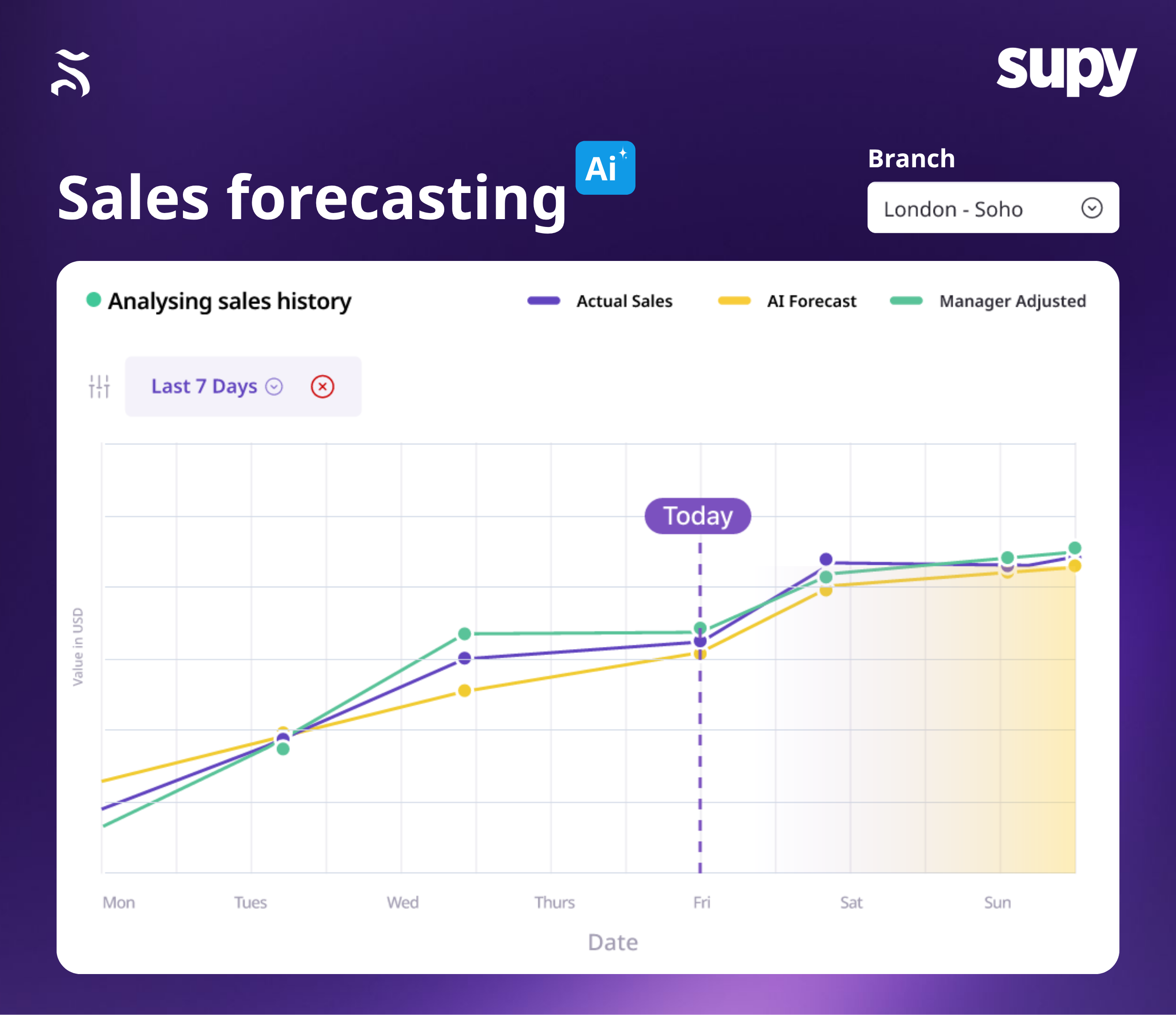
AI forecasting and predictive ordering |
|
|
How to connect Supy to Eats365 POS?
Before starting, obtain the Production Token provided by Supy. This token is required to connect Supy with Eats365 POS.
Step 1: Open the integration area in Merchant Portal
-
Log in to Eats365 Merchant Portal.
-
From the left-hand menu, select Integration > Developer Portal Application.
-
Select Connect New App in the upper-right corner.
Step 2: Enter the Supy Production Token
-
Enter the Production Token supplied by Supy.
-
Select Next to continue.
-
Review the displayed app information, account information, and requested API permissions.
-
Select Confirm to grant Supy the requested access and complete the initial connection.
Step 3: Review API Access settings
-
Log in to Eats365 Merchant Portal.
-
Go to Integration > Developer Portal Application.
-
Find Supy and select View More.
-
On the App Details page, select API Access.
-
Enable the feature permissions needed for Supy, then select OK to save.
After a successful connection, Supy will appear under Developer Portal Application. Select View More to review the app details, as described in the Eats365 Supy integration setup guide and Supy feature-permission guide.
Frequently Asked Questions
Q: What should restaurants prepare before using the Eats365 x Supy integration?
The integration is most useful when POS menu data, Supy recipes, inventory records, and operational ownership are prepared before teams rely on connected reports.
Technology can connect systems, but reliable operational insights still depend on accurate underlying information. Before using integrated sales and inventory reports to guide purchasing or food-cost decisions, restaurants should ensure their menu, recipe, and stock processes are maintained consistently.
-
Confirm menu and recipe mapping: Make sure menu items recorded in Eats365 are correctly associated with recipes managed in Supy. Accurate recipes are essential when sales data is used to estimate ingredient depletion.
-
Maintain inventory disciplines: Establish clear processes for receiving, stock counts, transfers, waste recording, and adjustments. Connected sales data is most useful when actual inventory activity is also recorded consistently.
-
Assign a system owner: Identify the person responsible for the Supy token, API permissions, menu changes, recipe updates, and initial investigation of reporting variances.
-
Test before relying on reports: Confirm that expected sales data reaches Supy and that menu items, recipes, and inventory outcomes appear as intended before using reports for purchasing or management decisions.
-
Review access periodically: Revisit Supy API Access permissions when operational requirements, systems, or responsible personnel change.
Q: How can multi-location restaurants use the integration more effectively?
Multi-location operators can use shared POS and back-of-house information to standardise visibility across outlets while still reviewing local differences that affect stock, costs, and procurement.
As a restaurant group grows, differences in menu execution, portioning, purchasing, and stock handling can become harder to identify. The Eats365 x Supy integration provides a more consistent foundation for comparing sales and back-of-house activity across outlets.
-
Review group-level trends: Use shared information to identify broad patterns in sales, stock movement, purchasing, and food costs across locations.
-
Identify outlet-level differences: Compare outlets to spot material variances that may require a closer operational review.
-
Investigate local causes: Ask the relevant outlet manager to review recipe configuration, portioning, stock counts, receiving, waste records, or supplier activity behind the variance.
-
Balance central and local oversight: Use central reporting to guide decisions, while retaining local operational checks to understand what is happening at each restaurant.