Pixalink Loyalty Programme: How Eats365 POS Supports Member Rewards in Malaysia
Feeling the pinch of app fatigue hindering your restaurant's loyalty program in Malaysia? Learn how Pixalink's integration with Eats365 POS, using WhatsApp's wide reach, can improve customer engagement and boost repeat visits.
 22 Jan 2026

 Eats365
Contents
The rise of WhatsApp engagement in Malaysia
WhatsApp has become the primary communication channel for Malaysians. The Digital 2024: Malaysia report reveals a 97.4% internet penetration rate, with messaging apps dominating daily usage. Specifically, WhatsApp ranks as the most used social platform as of Q3 2024 per Statista, with Kantar research noting that seven in ten Malaysians prefer messaging businesses over calling or emailing.
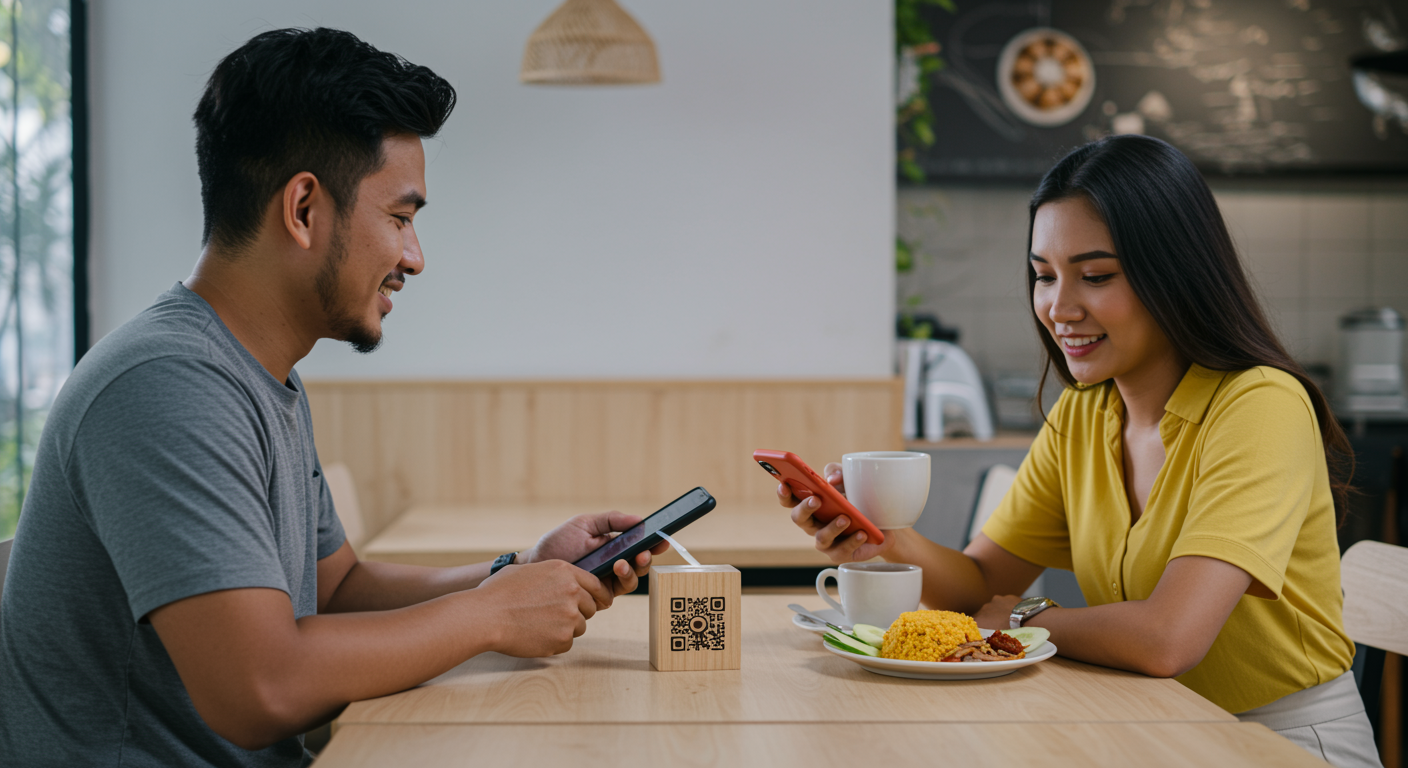
To capitalize on this, restaurants are moving away from friction-heavy apps. CleverTap found that over 50% of apps are uninstalled within 30 days, making WhatsApp-based programs a more sustainable alternative. Pixalink addresses this by offering a no-download customer portal that functions as a mini-program within WhatsApp. Integrated with Eats365, this system allows staff to onboard guests via QR codes, triggering automated rewards and personalized messages directly within a tool users already trust, leading to higher engagement and verified customer tracking.
Why does WhatsApp matter for restaurant loyalty programmes in Malaysia?
WhatsApp can make a loyalty programme easier to access and easier to maintain after a visit. Rather than asking customers to download another app, restaurants can use Pixalink’s browser-based portal for membership access and WhatsApp for timely, relevant follow-ups such as welcome messages, reward updates, and voucher reminders.
-
Reduce app-download friction: Pixalink offers a brandable, browser-based membership portal where customers can check points, rewards, and account activity without downloading a separate app from the App Store or Play Store.
-
Give customers easy access to membership benefits: Instead of relying on paper stamp cards, restaurants can share a QR code or link that lets customers access their member code, points balance, available credits, and redeemed vouchers.
-
Keep customer information connected: Pixalink brings together loyalty activity, CRM records, and WhatsApp communication tools, helping restaurants associate points earned, vouchers redeemed, and customer messages with the same member profile.
-
Make post-visit communication more practical: Once a customer has left the restaurant, WhatsApp can support relevant follow-ups, such as membership welcome messages, voucher reminders, or updates about available rewards.
3 hacks how Pixalink and Eats365 POS reduce loyalty friction
The value of a POS-linked loyalty programme is not that it replaces hospitality; it removes repetitive tasks that can interrupt service. The workflows below show how Pixalink membership functions can be used alongside Eats365 POS.

Hack #1: Bypass App Fatigue with a WhatsApp Mini Program
Pixalink’s Customer Portal (Mini Program) is a web-based membership experience rather than a dedicated loyalty app. It's a lightweight, web-based application (PWA) accessible directly through WhatsApp. Restaurants can direct guests to join or access their account through a QR code or link, where they can view a membership code, points balance, credits, and redeemed vouchers.
At checkout, staff select Add Customer easily on Eats365 POS, scan the member code from the customer’s Pixalink portal, and attach that customer to the order. The Eats365 POS member-scanning workflow keeps customer identification within the normal order process.
Hack #2: Automate Point Earning that Eliminate Staff Workload
Manual entry is a bottleneck during peak service hours. When you integrate Pixalink with Eats365, loyalty points start accumulating the moment a transaction completes.
When a Pixalink member is added to an Eats365 POS order, the member automatically earns points once payment is successful. The updated balance is then reflected in the Pixalink Customer Portal.
This can reduce the need for staff to calculate points manually or update a separate loyalty record after service. The cashier identifies the member before payment, while points are recorded as part of the completed transaction workflow.
Hack #3: Use Credits & Redeem Rewards at Checkouts
Fragmented data leads to conflicting point balances and frustrated customers. The integration ensures real-time data synchronization between your Eats365 transaction records and Pixalink loyalty profiles.
Restaurants that configure Pixalink credits can allow members to use stored credits as an Eats365 POS payment method. Staff attach the member to the order, select Credits on the payment page, and complete payment; the used amount is automatically deducted from the member’s credit balance.
For rewards, customers first redeem a voucher in their Pixalink Customer Portal. Staff can then select the available reward from the POS Coupons page and apply it to the order; after successful payment, the reward is marked as used in the Customer Portal.
How can POS-linked data make loyalty marketing more relevant?
Linking member activity with completed POS orders can help restaurants turn transaction and loyalty records into more relevant customer communications, while keeping campaign planning and implementation more structured.
-
Build a clearer member profile: Pixalink combines loyalty, CRM, customer tags, visit history, and WhatsApp tools, allowing restaurants to associate membership activity with an individual customer profile rather than managing separate paper cards or manual lists.
- Connect loyalty activity with POS transactions: Through the Eats365 Pixalink app, completed bills can be linked to identified members. This creates a more consistent record of visit frequency, average spend, preferred items, points, stored credits, reward redemptions, and other transaction activity.
-
Create more useful customer segments: Instead of sending one generic promotion to every contact, restaurants can use POS-linked information to identify groups such as high-value regulars, first-time visitors, customers with available vouchers, or guests who have not returned recently. These segments can support more informed data-driven marketing decisions.
-
Send timely reward reminders: The goal is not simply to collect more data, but to provide context for useful communication—such as a welcome offer for a new member, a reminder that a redeemed voucher is available, or a return-visit invitation. Pixalink supports rewards, referrals, customer profiles, and WhatsApp automation that can be used for these customer touchpoints.
-
Start with a controlled implementation: Restaurants can follow the Pixalink and Eats365 integration guide, configure data synchronisation, and test the workflow at one outlet before expanding it across more locations. Customer data collection and direct marketing activities should also follow applicable PDPA requirements.
-
Plan costs and outcomes by outlet: Before implementation, restaurants should confirm the applicable SaaS subscription, POS, integration, and messaging costs with their providers. A clear per-outlet cost structure makes it easier to review programme usage, redemption activity, and the operational value of the loyalty programme over time.
How do restaurants set up Pixalink rewards for Eats365 POS?
Restaurants configure the Pixalink connection, align rewards and discount details across both platforms, then test points, credits, and coupon workflows before launch.
The integration requires configuration in both Eats365 and Pixalink. The Eats365 Pixalink integration FAQ explains that setup can include configuring the POS system and Pixalink platform, establishing the connection, and setting up relevant loyalty functions.1. How is the restaurant connected to Pixalink?
In Eats365 Merchant Portal, connect the Pixalink application through the developer integration area using the production token supplied for the Pixalink account. The restaurant is then assigned and configured in Pixalink’s back office, following the Pixalink and Eats365 POS integration guide.
2. How are credit top-up items configured?
If the restaurant plans to sell stored credits, create a dedicated top-up item in Eats365 and map it to the relevant credit value in Pixalink. Once staff add the member and the top-up item to the order, the purchased credit appears in the member’s Customer Portal after payment.
3. How are reward discounts matched across both platforms?
A reward voucher must be configured in Pixalink and also created as a discount in Eats365 Merchant Portal. The Pixalink reward integration instructions recommend using matching discount codes, names, and descriptions so that the reward can be recognised and applied at the POS.
4. Why should restaurants test the member journey before launch?
Before promoting the programme, test the full customer journey with a staff account: scan a member code, complete a transaction, confirm that points appear in the Customer Portal, use credits where configured, and apply a redeemed voucher through the POS coupon list. The Eats365 POS guide documents each of these member workflows.
What can staff do during a normal Pixalink member transaction?
Staff scan the customer’s Pixalink member code, add the member to the order, then process points, credits, or rewards through the relevant Eats365 POS screen.
How do staff award Pixalink points?
- On the Eats365 POS order-taking screen, select Add Customer.
- Select Scan in the Member ID field.
- Scan the member code in the customer’s Pixalink Customer Portal.
- Select Add to Order.
- Complete the order and payment; points are added after successful payment.
How do staff accept Pixalink stored credits?
- Add the Pixalink member to the order using the same scanning process.
- Proceed to the payment page.
- Select Credits as the payment method.
- Select Pay; the credit amount is deducted after successful payment.
How do staff apply a Pixalink reward?
- Add the Pixalink member to the order.
- Open the POS Coupons page.
- Select the customer’s eligible reward and choose Apply Coupon.
- Complete payment; the reward is recorded as used in the Customer Portal.
Seamless Loyalty, Superior Growth
By integrating Pixalink's WhatsApp-first loyalty solution with Eats365 POS, Malaysian F&B entrepreneurs can transform customer engagement with minimal disruption. This combination automates points accrual, streamlines redemptions, and enables personalised marketing campaigns based on real-time data, boosting customer retention and making each ringgit work harder. Discover how Eats365 helps you build stronger customer relationships and drive business growth; send us an inquiry today to learn more!
General FAQs
Q: What are the key benefits of connecting Eats365 with Pixalink for managing restaurant customer loyalty in Malaysia?
Key benefits are automatic points accrual at checkout, real‑time data synchronization, reduced staff workload and errors, centralized 360° customer profiles, WhatsApp‑first onboarding to cut sign‑up friction, automated tier/referral/birthday workflows, FSEC‑certified security, and a typical two‑week integration timeline for standard setups.
Q: What specific loyalty features does Pixalink offer that can help Malaysian restaurants increase repeat business?
Pixalink offers a WhatsApp mini‑program (no download), QR onboarding, digital stamp cards/points, tiered memberships, referral tracking, birthday and occasion rewards, and automated campaigns (welcome, win‑back, upsell) driven by POS‑fed rules like points per RM or timed bonus points.
Q: What makes Pixalink different from other loyalty program solutions for restaurants in Southeast Asia?
Pixalink is WhatsApp‑first and app‑free, using a mini‑program inside WhatsApp so customers avoid downloads and app fatigue. Unlike many regional providers that rely on proprietary apps, Pixalink meets diners in a channel Malaysians already use, links activity to verified phone numbers, and integrates with POS workflows (like Eats365) for frictionless onboarding and tracking.
Q: Can Pixalink help me create personalized marketing campaigns for my restaurant's most loyal customers?
Yes — when Pixalink receives POS data (visit frequency, spend, favourite items, last visit), you can segment customers (e.g. top 20% by revenue, lapsed high‑value guests, first‑timers) and automate personalised WhatsApp flows: welcome messages, birthday offers, win‑backs or targeted upsells based on real behaviour.
Q: How do restaurants in Malaysia typically use WhatsApp-based loyalty programs like Pixalink to drive more sales?
A: Typical use includes QR codes on receipts or table tents to open WhatsApp chats, issuing digital stamp cards or points, sending visit‑based rewards, birthday vouchers, pre‑order links, and targeted reminders or tier offers. Because Malaysians use WhatsApp heavily, these messages usually achieve higher engagement and repeat visits than standalone apps.
Q: What kind of customer insights can I gain by integrating Pixalink with my Eats365 restaurant management system?
Aou gain visit frequency, average spend, preferred dishes and outlets visited, redemption behaviour, timestamps of visits, tier progression and aggregated segmentable profiles — enabling a 360° view to build targeted campaigns and measure which promotions drive redemptions and revenue.